
Your first scene
This page assumes the starter project, with npm run dev and npm run editor both running. Keep the browser tab where you can see it.
What is already there
Section titled “What is already there”The editor opens on the starter project’s one scene, level, with three actors in it. Select
one in the scene tree and the inspector shows its components. Every actor has a Transform,
which holds position, rotation and scale. After that, each actor has whatever it was given:
- camera — a
Camera. This is what the game looks through, not the editor’s own view. The actor’sTransformsets where the game view is centered, and the component’szoomsets how close in it is. A scene with no camera still draws, centered on the origin at 1× zoom. - player — a
Spriteto draw,KeyboardControlto turn key presses into events,Animatableto cycle the sprite’s frames, andMovement, a component fromsrc/game/rather than from the engine. - background — a
Spriteinrepeatmode, tiling one texture across the field.
Change something
Section titled “Change something”Select player and open its Movement component. Set speed to 500, then look at the
browser tab. It has already reloaded, and the player is faster.
The editor saved data/data.json and Vite reloaded the page. That loop is the whole
workflow. How it works explains it.
Movement is not built in. It is a component in the
project, and the inspector knows about its speed field
because the class says so. That is why your own components look no different from the
engine’s here.
Add an actor
Section titled “Add an actor”-
Select level in the scene tree, then press the first button in the explorer’s action bar, just above the tree: Add New Actor. The actor appears at the end of the scene, named
Actor, with aTransformalready on it. Rename it in the inspector’sNamefield.The button acts on whatever is selected. Select an actor instead of the scene, and the new actor becomes its child.
-
Add a
Spriteto it with Add Component, at the foot of the inspector. -
Point its
srcat an image. Anything indata/assets/is selectable, and a file you drop in there appears without restarting the editor.
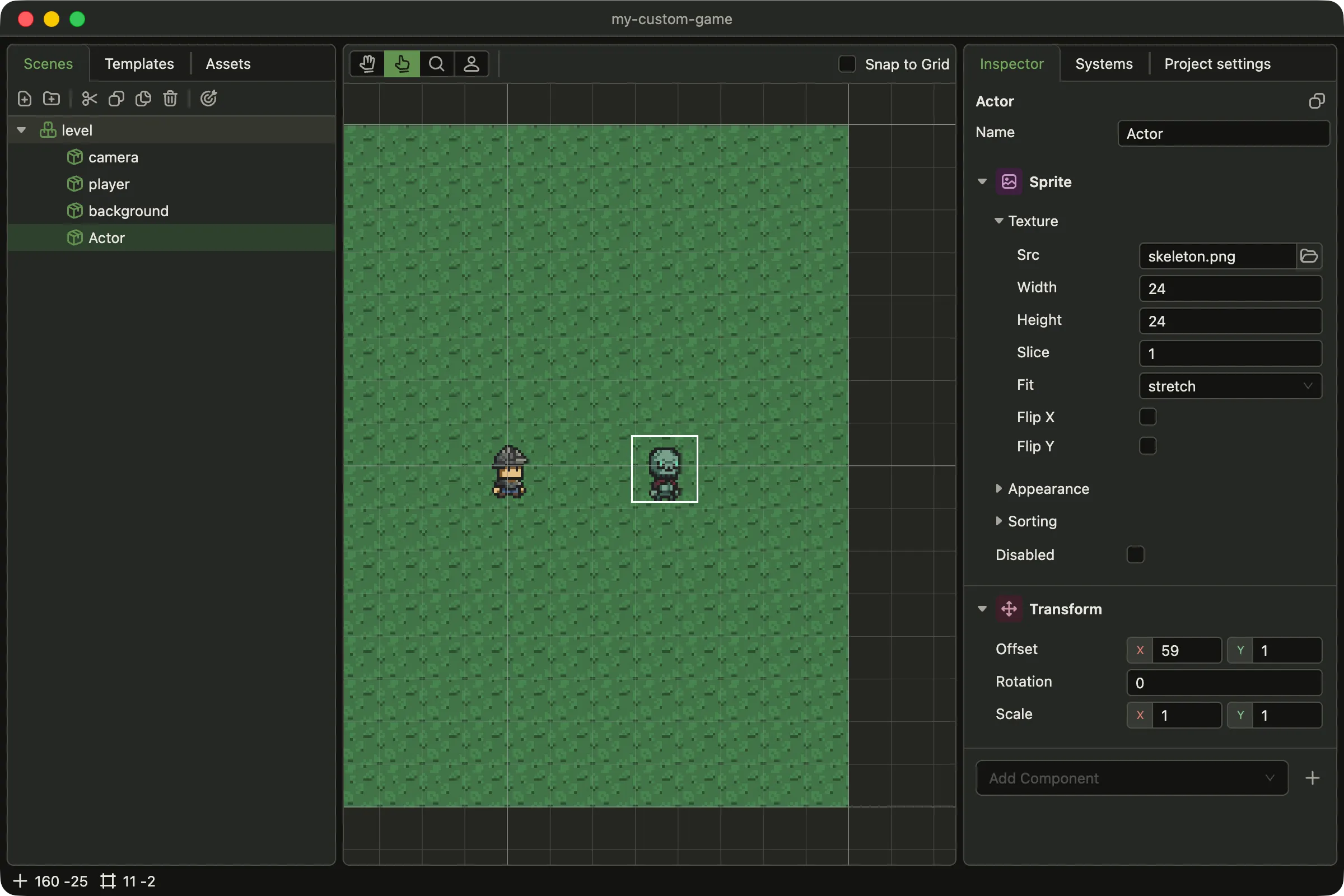
A new actor, dragged into place beside the player. Its Transform came with it. The sprite
here points at an image added to data/assets/.
Drag it in the viewport, or type coordinates into Transform. Either way the tab follows.