
Interface tour
The editor is laid out around a viewport. The explorer on the left lists the project. The inspector on the right shows the selected object.
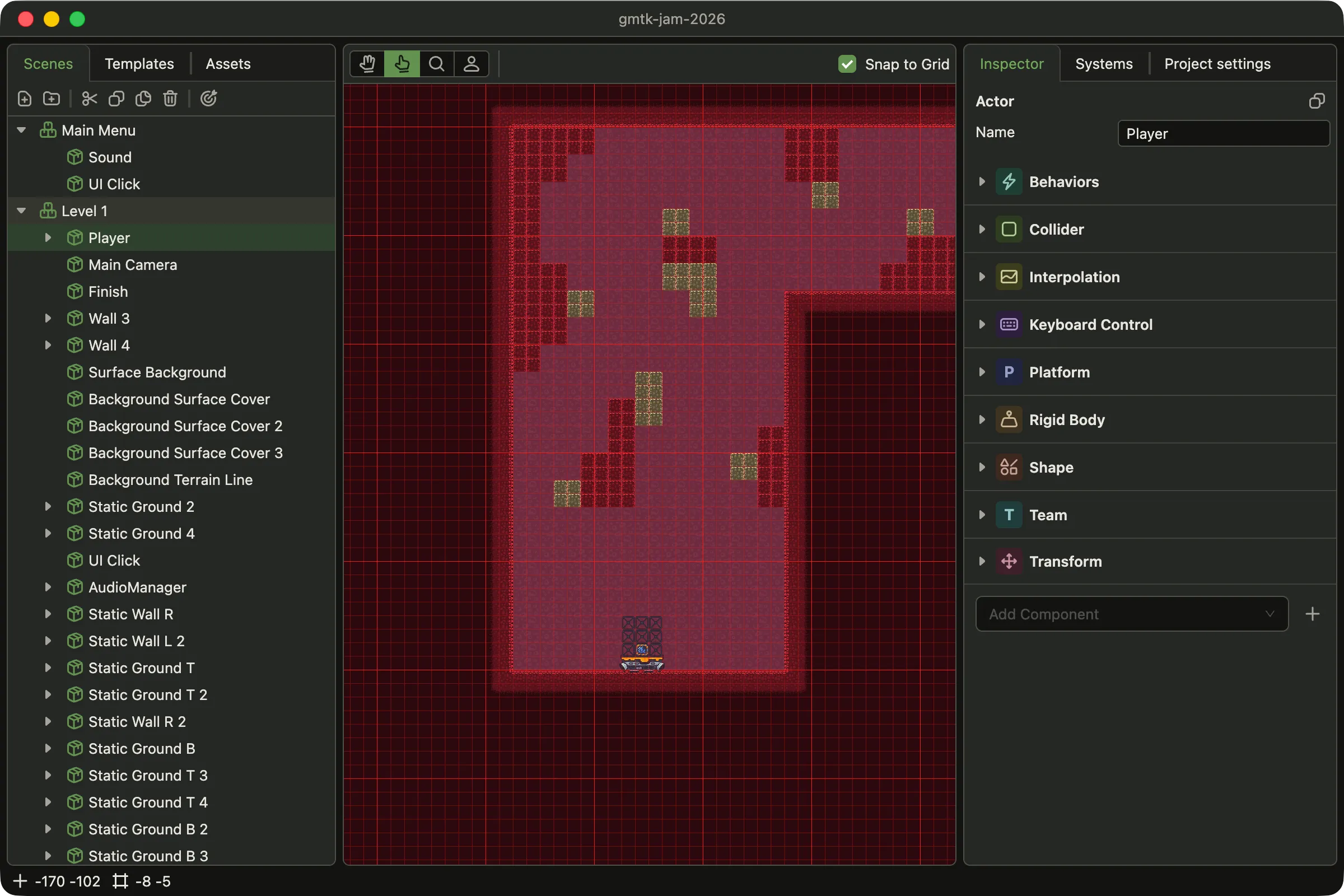
- Explorer. The scenes, templates and assets of the project, one tab each.
- Action bar. Adds, cuts, copies, pastes and deletes nodes in the tree below it.
- Tools. Hand, pointer, zoom and template. One tool is always active.
- Tool options. The options of the active tool.
- Viewport. The selected scene, drawn by the engine.
- Inspector. The selected object, the systems list and the project settings.
- Bottom bar. The cursor position and the grid cell under it.
The viewport runs the engine
Section titled “The viewport runs the engine”The viewport is not a preview drawn by the editor. It is a Dacha world. It runs the engine’s
own Renderer and CameraSystem over your scene’s actors. Sorting layers, opacity and blending
modes look exactly as they will in the game.
That world does not run your code. Your systems and behaviors do not run, and no collision is resolved. You edit the scene here, and you watch the game itself in the browser tab.
The view you pan and zoom belongs to the editor. It is not the Camera the game looks
through.
Debug layers
Section titled “Debug layers”Some parts of a scene draw nothing: a collider, a checkpoint, an actor that only carries data. The debug layers draw them in the editor only. Turn them on in View → Settings.
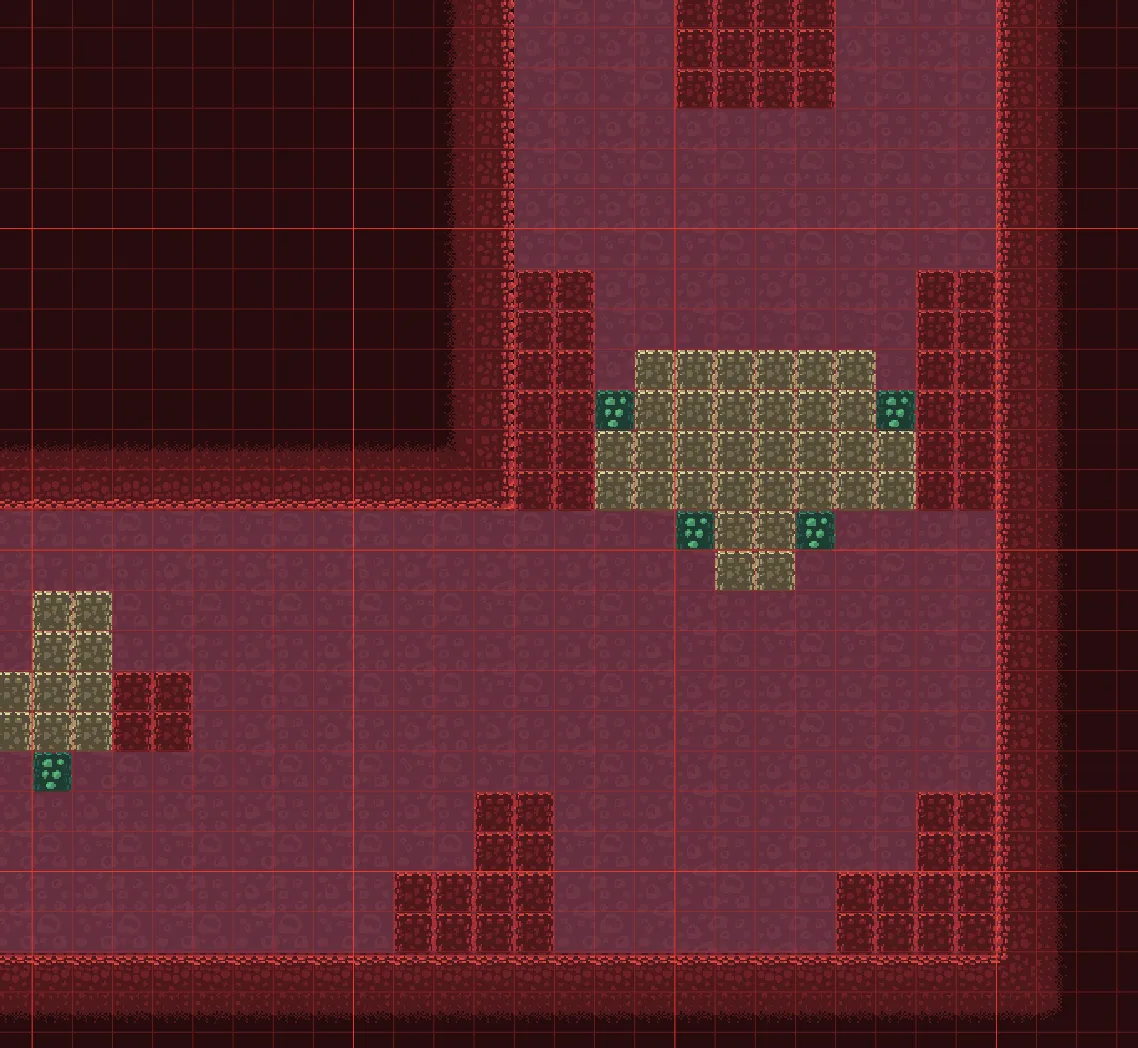
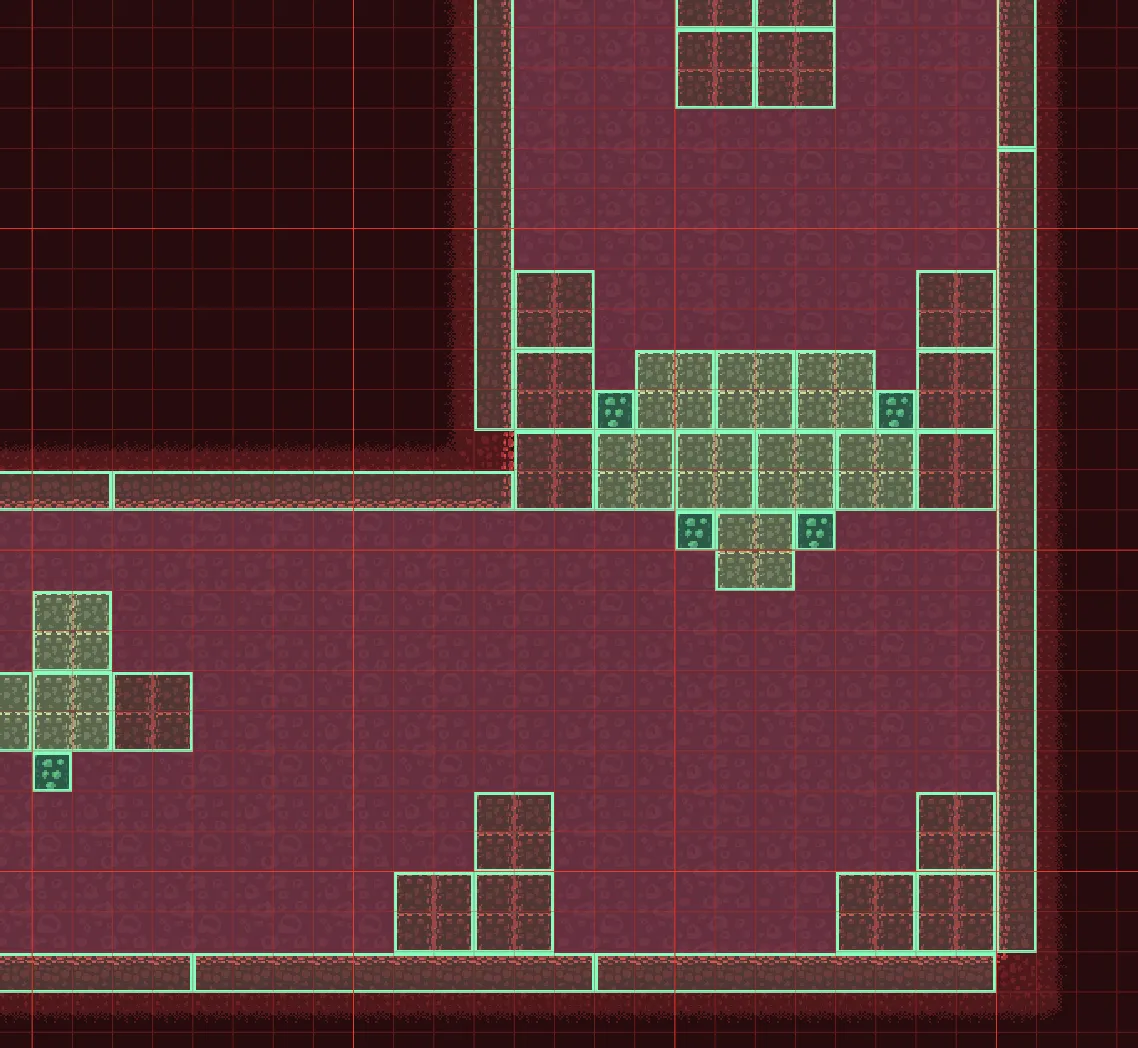
Colliders outlines every Collider in the scene. The color comes from the collider’s
debugColor, and green is the default.
Off
On
Markers draws an icon for each actor that has an EditorMarker component. Add it to a
spawn point or a checkpoint, and you can see and click that actor in the viewport. The game
ignores EditorMarker.
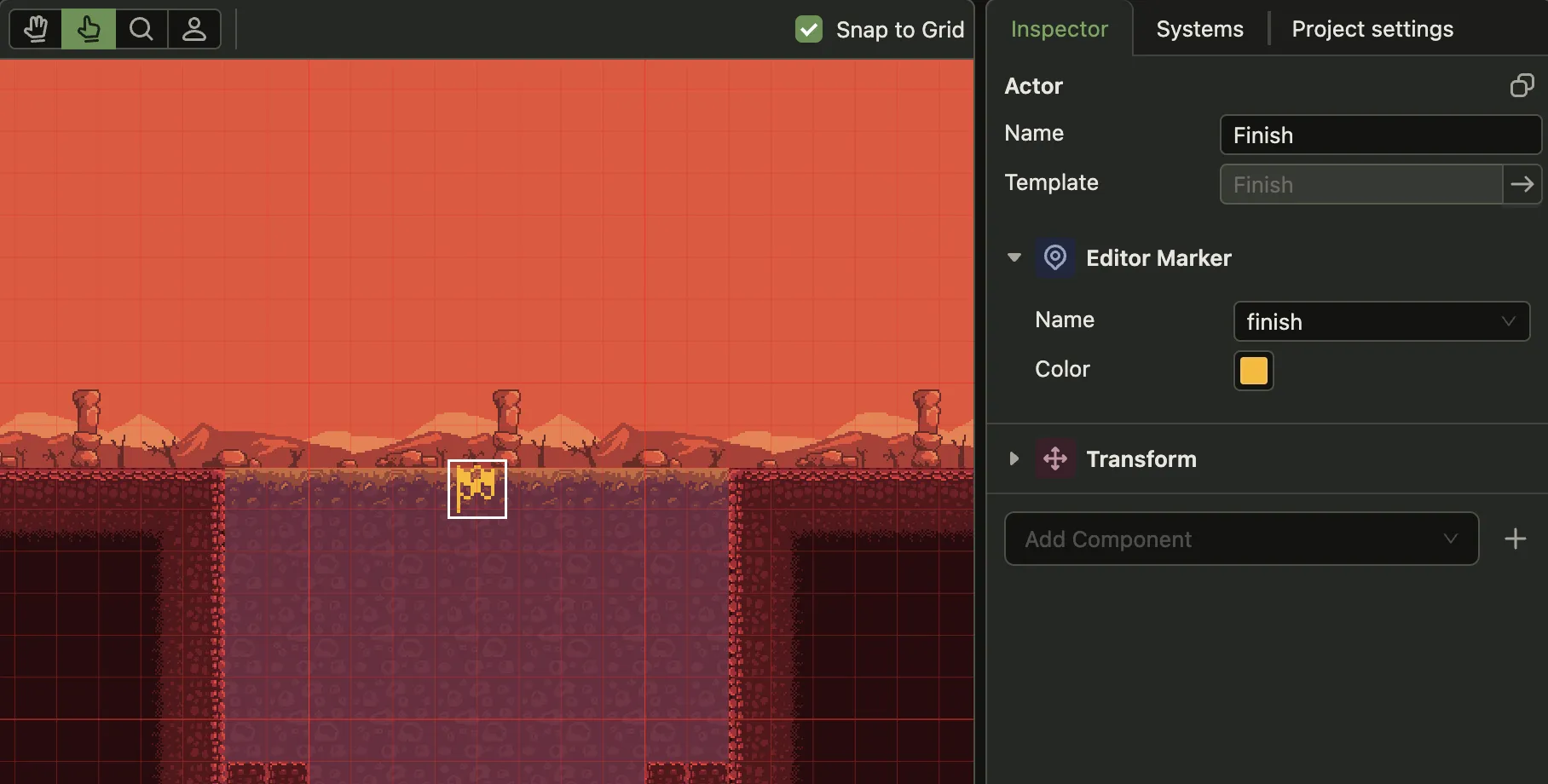
The Finish actor and its EditorMarker.
The bottom bar
Section titled “The bottom bar”Reload Required appears when you add or remove a sorting layer. The renderer builds its layers once at startup, so the editor has to reload to pick them up.
Settings
Section titled “Settings”View → Settings holds the grid, the debug layers and the theme. The grid step there is also the step that Snap to Grid uses.