
Generating scripts
The editor can write a new class into your project: a component, a system, a behavior, a shader or a filter effect. You get a file that compiles, with the import, the decorator and the class already in place.
Where to find it
Section titled “Where to find it”Create New is part of the picker for the thing you are adding:
| To create | Open |
|---|---|
| A component | Add Component, under an actor or template |
| A system | Add System, in the Systems tab |
| A behavior | Add Behavior, inside the Behaviors component |
| A filter effect | Filter Effects, in the Renderer system’s options |
| A shader | Material, inside the Mesh component |
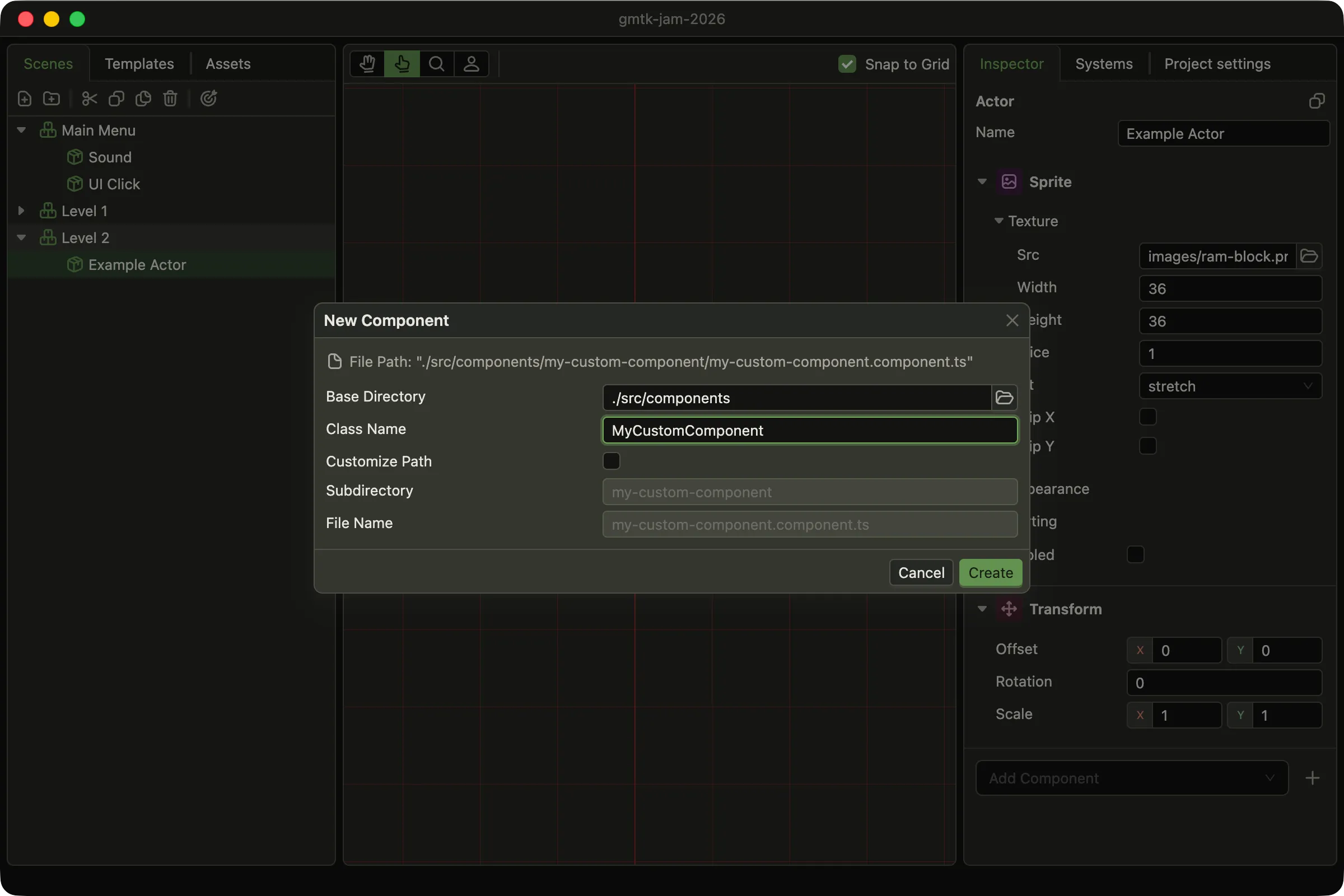
The class name decides the directory and the filename. The path at the top shows the result.
If the file already exists, the editor overwrites it without a warning.
What you get
Section titled “What you get”The generated file is a working example. A component comes with one decorated field:
import { Component, DefineComponent, DefineField } from 'dacha';
interface MyCustomComponentConfig {  exampleField: string}
@DefineComponent({  name: 'MyCustomComponent',})export default class MyCustomComponent extends Component {  @DefineField()  exampleField: string;
  constructor(config: MyCustomComponentConfig) {    super();
    const { exampleField } = config;
    this.exampleField = exampleField;  }}
A system comes as a SceneSystem. Change the base class to WorldSystem if the system should
outlive scene changes.
After that the file is yours. Rename it or move it, but keep a filename that matches the pattern the project globs.
To generate files that follow your own conventions, replace the templates with the
templates key.
After Create
Section titled “After Create”Writing the file starts a rebuild of your project’s code. When it finishes, the new class appears in the picker. There is no restart.
After every rebuild the editor checks the project configuration against your classes. It repairs anything that no longer matches, such as a field you renamed. A repair clears the undo history.