
Systems & global options
Two parts of a game belong to no scene: the list of systems the game runs, and the global options every scene shares. You edit both in the inspector, in its Systems tab and its Project settings tab.
The systems list
Section titled “The systems list”The Systems tab lists the systems the game runs. Add System offers the engine’s own systems plus the ones in your project. Expand an entry to edit that system’s options.
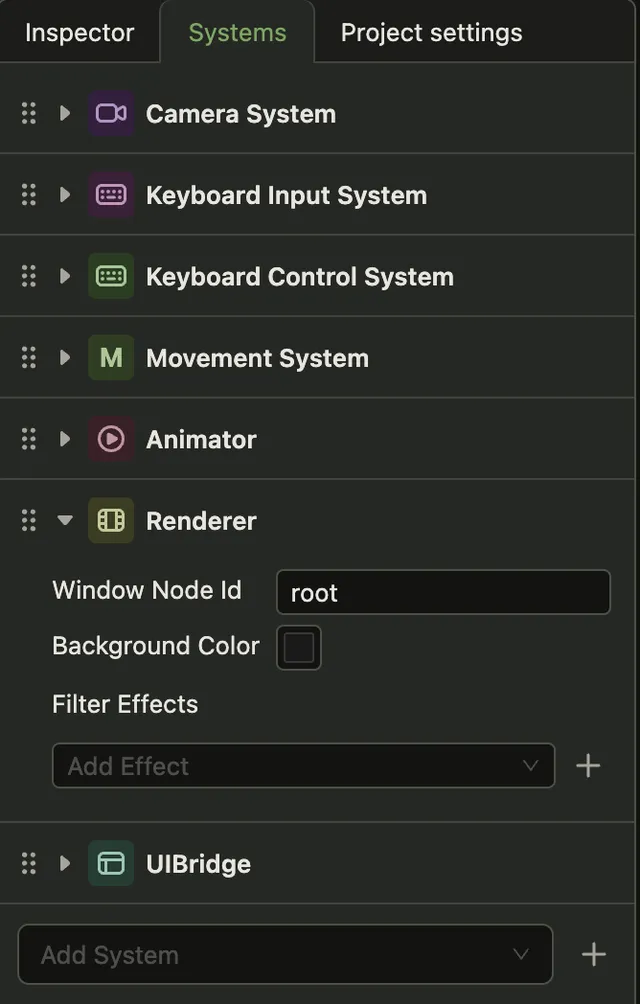
Order is execution order
Section titled “Order is execution order”The engine runs systems in the order of this list, every frame. Put the renderer after the systems that move things, or it draws positions that are one step old. Configuration explains the order rules.
The editor writes names, not classes
Section titled “The editor writes names, not classes”Adding a system here writes only its name into the project configuration. The class still has
to reach new Engine({ systems }) in your entry point. If it does not, the game runs without
the system and prints System not found: … to the console. See when the class never
arrives.
Global options
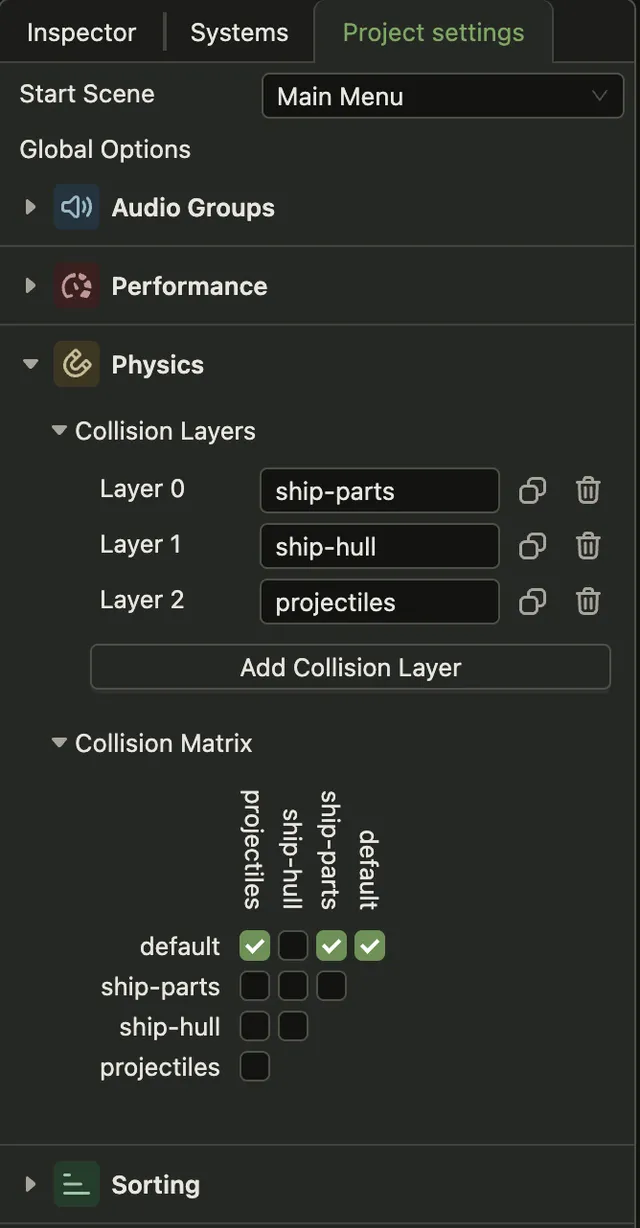
Section titled “Global options”The Project settings tab has four panels under Global Options.
Sorting lists the named layers an actor can be drawn in, and the order used inside a layer. See Rendering.
Physics lists the collision layers and the matrix that says which pairs of layers collide. A new layer collides with everything until you clear its boxes. See Physics.
Audio Groups names the buses a sound can play through, so music and effects get separate volumes. See Audio.
Performance tunes the game loop. See The game loop.